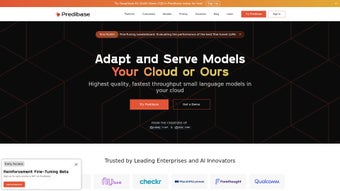

Download Predibase – Low‑Code AI Development Platform, Fast Model Training & Secure Deployment
Introduction: Why Low‑Code AI Matters in 2025
Artificial intelligence has moved from research labs into everyday business operations, but the barrier to entry remains steep. Traditional machine‑learning pipelines demand expertise in data engineering, model architecture, cloud orchestration, and security compliance. For many enterprises, especially those in regulated sectors such as finance, healthcare, and defense, the time and cost required to build a production‑ready AI solution can stretch months or even years. This is where low‑code AI platforms shine. By abstracting the complex plumbing into visual workflows, declarative configuration files, and one‑click deployment options, they empower data scientists, software engineers, and product managers alike to focus on solving real business problems instead of wrestling with infrastructure.
Predibase positions itself as a next‑generation low‑code AI development platform that merges the flexibility of open‑source frameworks with the polish of a commercial SaaS solution. Whether you need to fine‑tune a large language model for customer support, build an audio classifier for voice‑activated devices, or develop a custom tabular model for fraud detection, Predibase promises to accelerate the entire lifecycle—from data ingestion to secure, scalable deployment—while keeping your data under your control. In the sections that follow, we’ll explore the platform’s core capabilities, walk through a step‑by‑step installation, and evaluate its strengths and weaknesses against real‑world requirements. By the end of this review you’ll have a clear picture of whether Predibase is the right tool to download, install, and integrate into your AI strategy.
Overview of Predibase
Predibase is a low‑code AI development platform designed to streamline the creation, training, and deployment of machine‑learning models without requiring deep expertise in DevOps or cloud engineering. The platform converts traditionally complex tasks—such as configuring distributed training, managing hyper‑parameter searches, and securing model endpoints—into a handful of intuitive steps that can be executed through a drag‑and‑drop UI or a concise YAML configuration file. Built on battle‑tested open‑source technologies like Horovod, Ray, and PyTorch, Predibase scales seamlessly from a single workstation to multi‑node GPU clusters, enabling fast model iteration and reduced time‑to‑value.
One of the standout aspects of Predibase is its emphasis on data sovereignty. Organizations can choose private‑hosting options, deploying the platform on‑premise, within a dedicated virtual private cloud (VPC), or on a secure Kubernetes cluster. This flexibility eliminates reliance on third‑party APIs and ensures compliance with stringent data‑privacy regulations such as GDPR, HIPAA, and FedRAMP. The platform also includes a robust model management suite, featuring version control, experiment tracking, automated model registry, and built‑in monitoring tools that provide visibility into model performance and resource utilization.
For teams that span multiple skill levels, Predibase offers a balanced mix of low‑code simplicity and advanced extensibility. Developers can use the native Python and JavaScript SDKs to programmatically trigger training jobs, fetch metrics, or embed inference calls directly into existing applications. At the same time, power users can extend the platform with custom plugins, integrate external data sources, or modify the underlying training pipelines to meet specialized needs. In short, Predibase delivers a secure, scalable, and user‑friendly environment that helps businesses turn raw data into production‑ready AI models faster and with greater confidence.
Key Features & Architecture
- Low‑Code Configuration: Create, train, and deploy models using a few lines of YAML or drag‑and‑drop UI components, cutting development time by up to 80%.
- Multi‑Model Support: Handles large language models (LLMs), audio classifiers, image recognizers, and custom tabular models—all from a single platform.
- Private Hosting & VPC Deployment: Run workloads on your own infrastructure or a dedicated cloud VPC, ensuring data sovereignty and compliance.
- Scalable Training Engine: Leverages Horovod for distributed deep‑learning and Ray for parallel hyper‑parameter optimization, enabling linear scaling across GPUs.
- Model Management Suite: Version control, experiment tracking, and automated model registry simplify governance and rollback.
- One‑Click Deployment: Export models as REST APIs, Docker containers, or serverless functions with built‑in monitoring and auto‑scaling.
- Built‑In Security Controls: Role‑based access, audit logs, and encrypted data pipelines protect intellectual property.
- Extensible Plugin System: Add custom preprocessing, post‑processing, or third‑party integrations without leaving the platform.
- Continuous Updates: Automatic patches keep the underlying frameworks up‑to‑date, ensuring compatibility with the latest GPU drivers and libraries.
- Developer‑Friendly SDK: Python and JavaScript SDKs let you programmatically trigger training jobs, retrieve metrics, or embed inference calls directly into your applications.
Why Predibase Stands Out Among Competitors
Most AI platforms either demand deep expertise in cloud infrastructure or lock users into proprietary ecosystems that limit flexibility. Predibase bridges this gap by offering a Docker‑based, open‑source foundation while delivering an enterprise‑grade UI and managed services. Its private‑hosting capabilities make it attractive to organizations that cannot expose sensitive data to public clouds, a common hurdle in regulated industries. Additionally, the platform’s integrated experiment tracking and model registry serve as a single source of truth for data science teams, eliminating the chaos of scattered notebooks and ad‑hoc scripts.
From an architectural standpoint, Predibase’s modular design enables teams to replace or augment individual components—such as swapping the default Ray optimizer for a custom reinforcement‑learning loop—without disrupting the overall workflow. This level of extensibility is rarely found in low‑code solutions, which often sacrifice flexibility for ease of use. In practice, this means you can start with a simple low‑code project and gradually introduce more sophisticated pipelines as your organization matures, all while retaining the same unified interface and security posture.
Overall, the combination of low‑code speed, enterprise‑grade security, and open‑source extensibility positions Predibase as a compelling choice for businesses that need to innovate quickly without compromising on governance or data protection.
Installation, Compatibility & Step‑by‑Step Usage
Predibase is distributed as a Docker‑based installer, which makes it compatible with any operating system that supports containerization. Officially supported environments include Windows 10/11 (via WSL 2), macOS 12+ (Docker Desktop), and major Linux distributions such as Ubuntu 20.04+, CentOS 8+, and Debian 11. For on‑premise or cloud deployments, you can also run Predibase on a Kubernetes cluster or a bare‑metal server equipped with NVIDIA GPUs.
Quick Start Guide (≈5 minutes)
- Prerequisites: Install Docker Engine (≥ 20.10) and ensure that your GPU drivers are up‑to‑date. On Linux, also install
nvidia‑container‑toolkitto expose GPUs to containers. - Pull the Installer: Open a terminal and run
docker pull predibase/predibase:latest. - Run the Setup Container: Execute
docker run -d -p 8080:8080 --gpus all predibase/predibase:latest. This starts the web UI onhttp://localhost:8080. - Create an Admin Account: Visit the UI, follow the wizard to set a secure admin password, and configure your first workspace.
- Define a Project: Click “New Project,” select a template (e.g., “LLM Fine‑Tuning”), upload your dataset (CSV, JSON, or audio files), and adjust the YAML configuration for epochs, batch size, and learning rate.
- Launch Training: Hit “Start Training.” The platform provisions GPU resources, displays real‑time metrics, and stores checkpoints automatically.
- Deploy the Model: After training finishes, click “Deploy.” Choose “REST API,” “Docker Image,” or “Serverless Function,” and Predibase will generate a secure endpoint with built‑in authentication.
Advanced Deployment Options for Enterprises
For organizations that require isolated environments, Predibase supports deployment to a private VPC on AWS, Azure, or GCP. Simply provide your cloud credentials in the “Cloud Connectors” section, select the target region, and let the platform spin up a managed Kubernetes cluster with GPU nodes. All traffic is routed through a private network, and you can enforce TLS termination, IP whitelisting, and role‑based access control (RBAC) at the API gateway level. This approach guarantees end‑to‑end encryption, audit logging, and compliance with industry‑specific standards.
Supported Operating Systems
- Windows 10/11 (via WSL 2) – full feature set.
- macOS 12+ – Docker Desktop required; GPU acceleration limited to Apple Silicon via Metal.
- Linux (Ubuntu 20.04+, CentOS 8+, Debian 11) – native Docker with NVIDIA support.
- Cloud – AWS, Azure, GCP, or any Kubernetes‑compatible provider.
Beyond the initial setup, Predibase can be integrated into CI/CD pipelines using the provided CLI (predibase-cli) or REST SDK. This enables automated model retraining whenever new data lands in your data lake, ensuring that your AI services stay up‑to‑date with minimal manual intervention.
Pros, Cons, Frequently Asked Questions, Expert Review & Conclusion
Pros
- Rapid low‑code development reduces time‑to‑market.
- Private‑hosting options guarantee data privacy and compliance.
- Scalable training engine handles single‑GPU to multi‑node clusters.
- Comprehensive model management (versioning, registry, monitoring).
- Extensible plugin system for custom preprocessing and post‑processing.
- One‑click deployment to REST, Docker, or serverless environments.
- Built‑in security controls, role‑based access, and audit logs.
Cons
- Initial Docker/Kubernetes setup may be challenging for non‑technical users.
- GPU‑accelerated training requires compatible hardware, increasing upfront cost.
- Advanced enterprise features (VPC, RBAC, dedicated support) are only available in paid tiers.
- Limited GPU support on macOS due to Apple Silicon constraints.
Frequently Asked Questions
Is Predibase truly free to use?
Predibase offers a free community edition with core low‑code features and limited GPU usage. Enterprise‑grade capabilities such as private VPC deployment, advanced security, and unlimited scaling require a paid subscription.
Can I run Predibase on my local laptop?
Yes. For development and prototyping, you can run Predibase locally using Docker. A modern laptop with at least one NVIDIA GPU (or Apple Silicon with Metal support) provides a smooth experience for small datasets and model experiments.
How does Predibase ensure data security?
Data never leaves your chosen hosting environment. The platform encrypts data at rest and in transit, supports role‑based access control, and logs all actions for auditability. Private‑hosting eliminates reliance on third‑party APIs, which is essential for regulated industries.
What types of models can I train with Predibase?
Predibase supports large language models (GPT‑style), convolutional networks for image and audio classification, transformer‑based time‑series models, and custom tabular models. You can also import pre‑trained checkpoints from Hugging Face or TensorFlow Hub and fine‑tune them within the platform.
Is there a way to automate model retraining?
Yes. Predibase’s CLI and REST SDK allow you to trigger training jobs from CI/CD pipelines. You can set up data‑drift monitors that automatically start a new training run when fresh data exceeds a defined threshold.
Expert Review
Rating: 4.6/5
AI Tech Analyst
Predibase delivers on its promise of low‑code AI development while respecting the security demands of modern enterprises. Its blend of Docker‑based simplicity, robust distributed training, and comprehensive model management makes it a standout choice for teams that need to move fast without compromising on governance. The learning curve around container orchestration is the only notable hurdle, but the payoff in scalability and data control more than justifies the effort.
Conclusion & Call to Action
In the rapidly evolving AI landscape of 2025, the ability to prototype, iterate, and ship models securely is a competitive advantage. Predibase succeeds in compressing the traditionally lengthy machine‑learning workflow into a low‑code experience that remains flexible enough for advanced use cases. Its private‑hosting capabilities, end‑to‑end encryption, and compliance‑ready architecture address the most pressing concerns for regulated industries, while the one‑click deployment options accelerate time‑to‑market for less regulated scenarios.
If your organization is looking for a platform that balances speed, security, and scalability, Predibase is well worth downloading and testing. Start with the free community edition to evaluate the UI and core features, then consider an enterprise license if you require private VPC hosting or dedicated support. By adopting Predibase, you can reduce months of engineering effort to weeks—or even days—while keeping your data safely under your own governance.
Ready to accelerate your AI projects? Download Predibase now and begin building secure, production‑ready models with a low‑code workflow that adapts to your organization’s growth.



.png)



